
Webflow vs Framer vs Custom WordPress: Which Should You Build On?
All three build good websites. The difference is who can edit it, what it costs to keep, and whether you can ever leave.
Webflow vs Framer vs custom WordPress comes down to what the site has to do. Framer is the fastest way to launch a polished marketing site, Webflow suits a team that wants to edit a visual CMS without a developer, and custom WordPress is the better choice when the site has to do real work: bookings, search, integrations, or content you want to own outright.
We get asked about Webflow vs Framer on almost every call, usually by someone who has seen a beautiful site built on one of them. All three can produce a great website. The difference is in what happens after launch: who can edit it, what it costs to keep, and whether you can leave.
What is the difference between Webflow and Framer?
Webflow and Framer are both hosted, visual website builders. You design on a canvas, publish to their hosting, and pay a monthly plan per site.
- Framer started as a design tool, and it shows. It is quick to go from a design to a live page, and motion and interactions feel natural. It is at its best for landing pages and marketing sites with a small number of pages.
- Webflow is closer to a visual front-end developer tool. It exposes more of how the page is built, has a mature CMS for blogs and collections, and handles larger marketing sites well once someone on the team has learned it.
Both keep your site on their platform. Pricing changes often, so check the current plans on Webflow’s pricing page and Framer’s pricing page rather than trusting a number in an old article.
When is custom WordPress the better choice?
Custom WordPress is the better choice when the website is part of how the business runs, not just a brochure. WordPress is open source: the code and the database are yours, and the site can move to any host.
A custom theme is not a bought template. It is written for the business, so it loads only what the site uses and does exactly what it needs to. Two sites from our work show the difference:
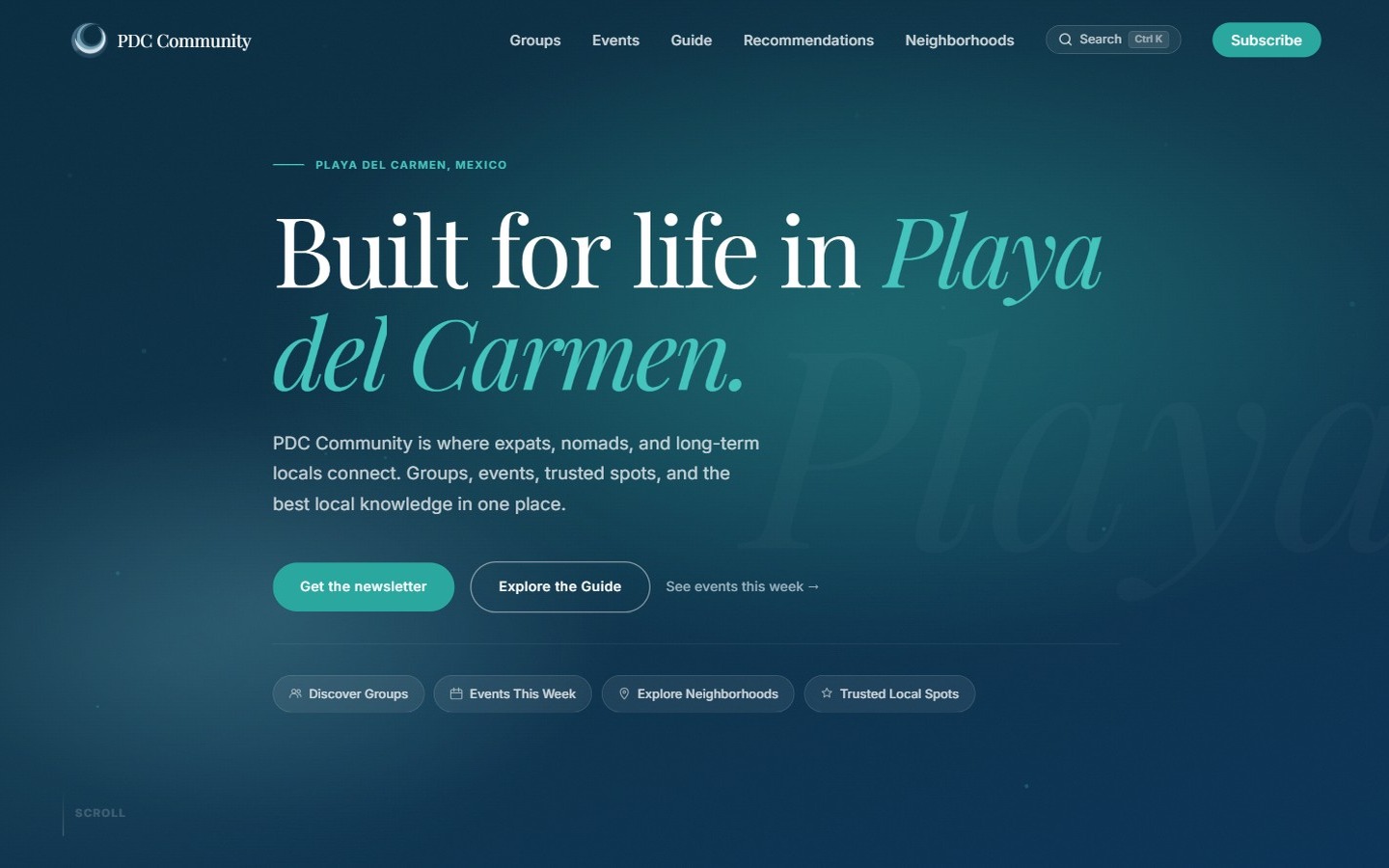
- PDC Community is a guide to living in Playa del Carmen. Its search filters groups, events, guides and neighbourhoods as you type, and its events calendar syncs from the organisers’ own spreadsheet.
- Ice Island is a Toronto cafe and lounge whose site is a scroll-driven world, rebuilt twice so it holds up on iPhone.
Webflow vs Framer vs WordPress: which is better for SEO?
All three can rank well. Search engines reward fast pages, clear headings, useful content and sites other people link to, and none of the three platforms stops you doing that. The differences are in control.
- Framer and Webflow give you the essential fields: page titles, descriptions, social images and redirects.
- WordPress with an SEO plugin adds per-page analysis, schema and fine control over how every page appears in search, which matters more as a site grows past a handful of pages.
What hurts SEO on any platform is a slow, heavy page. A site builder will not stop you adding large images and effects, and a WordPress site stuffed with plugins will be slow too. See how we approach SEO.
What does each one cost to own?
| Framer | Webflow | Custom WordPress | |
|---|---|---|---|
| Build | Fastest | Moderate | Most upfront work |
| Running cost | Monthly plan per site | Monthly plan per site | Hosting you choose |
| Editing | Easy for simple pages | Visual CMS, learning curve | Familiar editor, plus what the theme allows |
| Custom features | Limited | Moderate, via integrations | Anything you can build |
| Leaving later | Hard | Partial export | Take everything with you |
Can you move off Webflow or Framer later?
This is the question to ask before you start, not after. Framer does not give you a copy of the site as code you can host somewhere else, so leaving means rebuilding. Webflow can export the HTML, CSS and JavaScript on paid plans, but the CMS content and forms do not keep working outside Webflow. A WordPress site is files and a database you own, so moving hosts or changing developers is routine.
Which should a Toronto business choose?
Choose Framer for a fast, good-looking marketing site you will mostly leave alone. Choose Webflow if someone on your team will own a content-heavy marketing site and wants to edit it visually. Choose custom WordPress when the site needs to take bookings, search real content, connect to other systems or grow for years without a rebuild.
We build on custom WordPress for websites and on modern frameworks for apps, but we will tell you if a builder is the better fit for your budget. Book a free 15-minute call and we will give you a straight answer, or read what goes into our website design work.
Questions we get about this
Is Framer or Webflow better for a small business website?
Framer is better for a small marketing site that needs to launch quickly and look polished. Webflow is better when the site has more content, such as a blog or collections, and someone on the team will manage it.
Is Webflow better than WordPress for SEO?
Neither platform ranks better on its own. WordPress with an SEO plugin gives more per-page control as a site grows, while Webflow covers the essentials. Speed, structure and useful content matter more than the platform.
Can I edit a custom WordPress site myself?
Yes. A custom WordPress theme uses the standard WordPress editor for text and images, and a good build limits editing to the parts that should change, so a page cannot be broken by accident.
Can I move my site off Framer?
Not directly. Framer does not export a site as code you can host elsewhere, so moving to another platform means rebuilding the site.